

Where to Learn Video Editing for Beginners: The Definitive 2025 Guide
I still remember the first time I opened a timeline. It felt like stepping into the cockpit of a 747 without a pilot’s license—buttons everywhere, confusing acronyms, and a blinking cursor mocking my lack of knowledge. If you’re feeling that same intimidation right now, take a breath. You aren’t alone.
In 2025, video isn’t just a medium; it’s the language of the internet. According to a SocialPilot report from January 2024, video content accounts for a staggering 82% of all internet traffic. Mastering the edit isn’t just a fun hobby anymore—it is arguably the most valuable currency in the digital economy. Whether you want to cut films, produce high-retention YouTube content, or manage corporate communications, the ability to weave visuals and sound together is a superpower.
But with thousands of courses, conflicting YouTube advice, and expensive software options, where do you actually start? We have analyzed over 50 platforms and current market data to bring you a structured, no-nonsense roadmap. We’ll cover the software you need, the hardware you actually require (it’s less than you think), and the specific platforms that will take you from “zero to pro” in record time.
The “Why” Before the “How”: The State of Video in 2025
Before we dive into course recommendations, it’s vital to understand the landscape you’re entering. You aren’t just learning to cut clips; you are entering a booming global industry. According to Mordor Intelligence (July 2025), the video editing software market alone generated $3.54 billion in 2025.
The demand for skilled editors has never been higher. Freelance opportunities are exploding, with Industry Research (November 2025) reporting there are now over 7.3 million freelance video editors globally. Why? Because businesses are desperate for video. In fact, Wyzowl via HubSpot (2024) notes that 93% of marketers report video provides a positive ROI.
But here is the catch: the bar for quality has raised. It’s no longer enough to just splice footage together. You need to understand pacing, sound design, and the psychology of viewer retention.
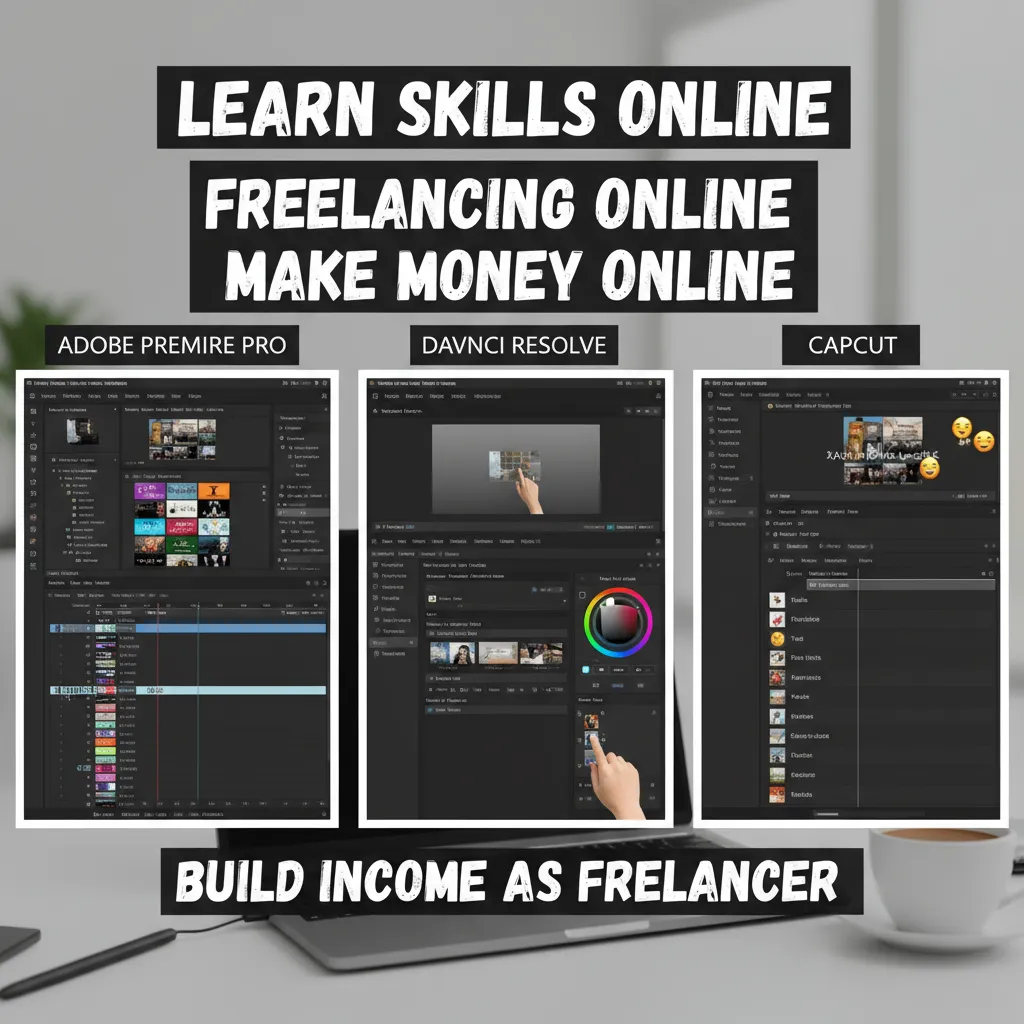
Choosing Your Weapon: Top 3 Beginner-Friendly Softwares
One of the biggest hurdles beginners face is “analysis paralysis” regarding software. In my experience, spending weeks debating which software to use is just procrastination in disguise. In 2025, the market has consolidated around three major players. Pick one based on your goals and don’t look back.
According to SendShort (January 2025), Adobe Premiere Pro holds a massive 35% market share, but competitors are closing the gap.
| Software | Best For | Cost | Why Choose This? |
|---|---|---|---|
| Adobe Premiere Pro | Industry Careers & Collaboration | Subscription (Monthly) | The industry standard. If you want a job at a production house, learn this. |
| DaVinci Resolve 19 | Aspiring Filmmakers & Colorists | Free (Paid Studio ver.) | Hollywood-grade color grading and a shockingly robust free version. |
| CapCut Desktop | Social Media & Short Form | Free (Freemium) | Fastest workflow for TikTok/Reels. Ideal for the “Creator Economy.” |
1. Adobe Premiere Pro (The Professional Standard)
If your goal is to work in a corporate setting or collaborate with other professionals, Premiere Pro is non-negotiable. Its integration with After Effects and Photoshop creates a seamless ecosystem. However, it requires a monthly subscription, which accounts for why subscription-based software now makes up 60% of the market share according to Triple A Review (January 2025).
2. DaVinci Resolve 19 (The “Free Pro” Choice)
I often tell beginners on a budget to start here. DaVinci Resolve offers a free version that is more powerful than most paid competitors. It is particularly dominant in color grading. If you are interested in the cinematic look, this is your path.
3. CapCut Desktop (The Social Media Specialist)
Don’t laugh—CapCut is a serious contender in 2025. For short-form content (which Tella/HubSpot (April 2024) ranks as the #1 format for ROI), CapCut offers speed that Premiere can’t match. Justin Brown from Primal Video demonstrated in 2024 that beginners could achieve professional results in under two hours using CapCut’s intuitive interface.
Top 5 Platforms to Learn Video Editing (Ranked for 2025)
Once you have installed your software, where do you go to actually learn the buttons? We have categorized the top learning resources based on your learning style.
1. LinkedIn Learning (Best for Certifications)
If you are looking to bolster a resume, LinkedIn Learning provides structured, verified pathways. Their “Become a Video Editor” learning path is rigorous. Since Industry Research (November 2025) notes that 47% of corporate users adopted video editing for internal training in 2024, having a recognized certificate here carries weight in the corporate world.
2. Udemy (Best for Intensive Bootcamps)
Udemy is fantastic for deep dives into specific software. Look for “Complete Masterclasses” updated for 2025 versions. The advantage here is the one-time cost structure compared to monthly subscriptions. I recommend courses that include raw footage assets so you can edit along with the instructor.
3. YouTube (The “University of 10-Minute Clips”)
Can you learn for free? Absolutely. SocialPilot (January 2024) data shows 72% of consumers prefer learning via video, and YouTube is the hub for this. However, the downside is the lack of structure. You must build your own curriculum.
- Primal Video: Excellent for technical setup and workflow.
- Casey Faris: The gold standard for DaVinci Resolve tutorials.
- Premiere Gal: Essential for Adobe users.
4. Skillshare (Best for Creative Workflow)
Skillshare shines when you want to learn the “art” rather than just the “tools.” Courses here often focus on storytelling, pacing, and vlog-style editing. It’s less about “what does this button do” and more about “why should I cut here?”
5. Noble Desktop / Miracamp (Best for Mentorship)
If you struggle with self-motivation, these platforms offer cohort-based learning or 1-on-1 mentorship. Having a professional critique your timeline is invaluable, though significantly more expensive.
Critical Hardware: What You Actually Need to Start
There is a massive misconception that you need a $5,000 custom PC to edit video. This is false. While Market Reports World (December 2025) indicates that 4K accounts for 47% of all renderings, you don’t need to edit raw 4K footage natively.
“Invest in a quality computer before you invest in a quality camera.”
The “Proxy Workflow” Hack
If you are on a budget laptop, you need to learn Proxy Workflows. This involves creating low-resolution copies of your video files for the editing process. The computer handles these small files easily. When you are ready to export, the software swaps the high-quality originals back in. This allows you to edit 4K video on a modest machine.
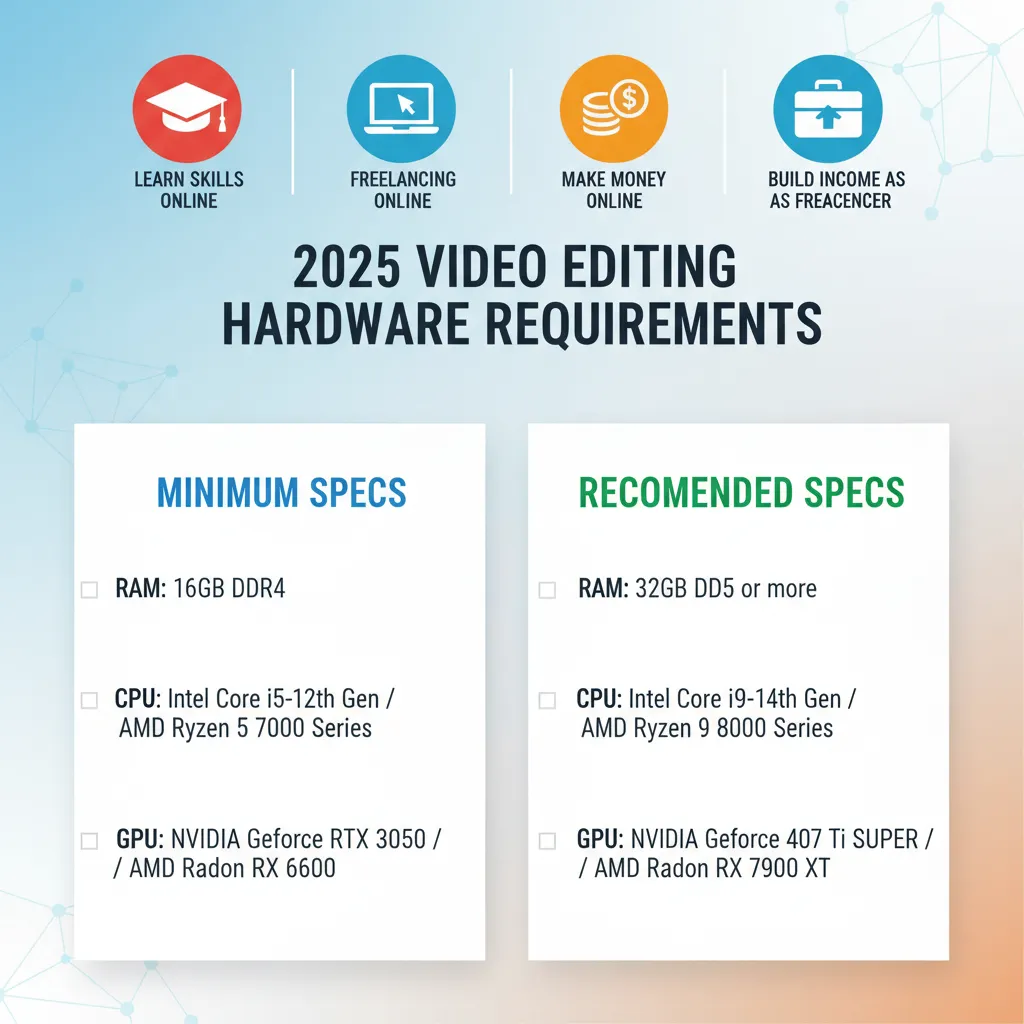
The 2025 Specs Checklist
- RAM (Memory): This is your priority. 16GB is the absolute minimum; 32GB is the sweet spot.
- CPU (Processor): More cores are better. A modern Apple M2/M3 chip or Intel i7/i9 is ideal.
- Storage: Never edit off a spinning Hard Disk Drive (HDD). You need an SSD (Solid State Drive) for the speed required to play back video without lag.
The Self-Taught Curriculum: 6 Pillars of Video Editing
Software proficiency is useless if you don’t know how to construct a story. I’ve seen editors who know every keyboard shortcut but create unwatchable videos. To avoid this, follow this “Self-Taught Curriculum.”
1. The Interface & Media Management
Before you cut, learn to organize. Professional editing is 50% file management. Learn how to structure your folders so you never lose a file.
2. The Rough Cut (Pacing & Logic)
This is where the story is built. Focus on the flow. As legendary editor Francis Ford Coppola said, “The essence of cinema is editing… a kind of alchemy.” Don’t worry about effects yet; just make the story make sense.
3. Sound Design (The Secret Weapon)
Here is a secret that pros know: audio is more important than video. Tella (April 2024) reports that 87% of viewers state audio quality influences their trust in a brand more than video resolution.
“People will watch something with poor video quality if the audio quality is good, but they won’t watch something with good video quality if the audio is poor.”
Spend time learning about J-cuts, L-cuts, and normalizing audio levels.
4. Color Correction vs. Color Grading
Learn the difference. Correction is fixing white balance and exposure issues. Grading is adding a stylistic look (like the teal and orange Hollywood look).
5. Basic Motion Graphics & Titles
You don’t need to be a graphic designer, but you must know how to place text that is readable and safe for mobile screens. Remember, ElectroIQ (September 2025) found that mobile devices generate 75% of all video views globally.
6. Exporting & Delivery Standards
Bitrates, codecs, and containers. Understanding why a YouTube export differs from an Instagram Reel export is the final technical hurdle.
Beyond the Software: The Alchemy of Storytelling
Finally, remember that AI is changing the technical landscape. Industry Research (November 2025) shows AI integration has boosted production efficiency by 37%. Tools can now transcribe audio and cut silence automatically.
However, AI cannot replicate human rhythm and emotion. Walter Murch, the editor behind Apocalypse Now, famously noted that while editing is now accessible to everyone, higher levels require dedication. Your competitive advantage in 2025 isn’t just knowing the tools—it’s knowing what to cut. The best advice? “Cut until you can cut no more.”
Frequently Asked Questions
Is video editing hard to learn for beginners?
The basics are easy to grasp in a weekend. However, mastering the “invisible art” of pacing takes time. Most students feel comfortable with basic cuts after 20 hours of practice.
Can I learn video editing for free?
Yes. DaVinci Resolve is free professional software, and YouTube has thousands of hours of high-quality tutorials. You do not need to spend money to start.
Do I need a degree to be a video editor?
Absolutely not. Clients care about your portfolio (reel), not your degree. A strong showreel of 3-4 diverse projects is worth more than a diploma in this industry.
How long does it take to get a job?
With focused daily practice, you can reach an employable “junior editor” level in 3 to 6 months. Building a freelance client base typically takes 6 to 12 months of consistent networking and content creation.
Your 30-Day Challenge
Don’t just read this article and close the tab. I challenge you to download DaVinci Resolve or CapCut today. Shoot 5 minutes of video on your phone, and edit it down to a tight 60-second clip using the principles above. The only way to learn to swim is to get in the water.
