

How to Get Your First Client on Upwork in 2025: A Data-Driven Roadmap
The freelance landscape has shifted dramatically. In my early days, you could slap up a generic profile, bid on three jobs, and land a contract by lunchtime. But if you are trying to break into the market today, you’ve likely noticed a different reality: silence.
Here is the truth: Upwork isn’t just a job board anymore; it is a search engine dominated by algorithms and a “pay-to-play” Connects economy. According to Upwork’s Q4 2024 Earnings Release, Gross Services Volume (GSV) from AI-related work grew 60% year-over-year. The demand is there, but the bar for entry has risen.
You might be wondering, “Is it even possible to get a job with zero reviews in 2025?”
The answer is yes, but not by using 2020 tactics. This guide abandons the generic “write a good bio” advice. Instead, we will focus on the mathematical and psychological strategies needed to beat the Upwork Algorithm, leverage the new Uma AI system, and secure that elusive first client.
What You Will Learn
- The “Algorithm-First” Profile: Why video and skill tags matter more than your bio text.
- The Connects Economy: A mathematical approach to bidding wars ($0.15/connect).
- AI Leverage: How adding “AI-Assisted” to your profile can increase your rates by 44%.
- The Rising Talent Hack: How to get a trust badge before you ever land a job.
1. The 2025 “Algorithm-First” Profile Optimization
Most beginners write their profiles for humans. This is a mistake. Before a human client ever sees your face, you must pass the gatekeeper: the search algorithm. In 2025, Upwork’s search visibility is heavily weighted toward specific keywords and “trust signals.”
Mastering Upwork SEO: The “Headline | Service | Tool” Formula
Your headline is the single most important piece of SEO metadata on your profile. Ambiguity is the enemy. A headline like “Creative Writer” gets lost in a sea of millions.
I recommend the HST Formula:
- Headline: Your specific role.
- Service: The outcome you provide.
- Tool: The specific software or tech stack you use.
Bad: Graphic Designer for Hire
Good: SaaS Web Designer | High-Conversion Landing Pages | Figma & Webflow Expert
This specificity aligns with how clients actually search. They don’t just want a designer; they want a Figma designer.
The 15 Skill Tags Strategy
Upwork allows you to select up to 15 skills. Do not leave any blank. These tags function as search filters. If a client filters for “Shopify,” and you only listed “E-commerce,” you disappear.
In the case of Mariia Yanushkevich from the agency Alaska CGI, focusing on high-intent keywords helped grow her business from sporadic gigs to a $40k/month agency. By optimizing search scanners for specific terms, she bypassed the general noise.
Beyond 100%: The “Video Introduction” Trust Signal
In a world of AI-generated text, human connection is premium currency. A 2024 analysis of Reddit user data suggests that profiles with video introductions see higher engagement rates because they verify identity and English proficiency instantly.
Action Step: Record a 60-second video. Good lighting, clear audio. Script it like this: “Hi, I’m [Name]. I help [Target Client] achieve [Result] using [Method]. Here is a recent win I achieved…”
2. Winning the 2025 Connects Economy
This is where most new freelancers quit. Applying for jobs costs “Connects” (Upwork’s virtual currency), which currently cost $0.15 each. With popular jobs requiring 16+ Connects ($2.40) just to apply, you cannot afford to “spray and pray.”
Only 38% of job posts on Upwork result in a hire.
This statistic is sobering. It means that for 6 out of 10 jobs you see, the client is either “window shopping” or abandons the project. Applying to these is burning money.
Strategic Bidding: The ROI Calculation
You must treat your Connects like an investment portfolio. Before bidding, look for these “Green Flags”:
- Payment Method Verified: Never bid if this is unchecked.
- Hire Rate > 50%: Indicates a serious buyer.
- Client History: Have they spent money recently?
To Boost or Not to Boost?
Upwork allows you to spend extra Connects to “Boost” your proposal to the top of the pile. In 2025, this has become a bidding war.
My Rule of Thumb: Only boost if you are a 100% match for the job requirements and the project value is over $500. For small, quick jobs, the cost of boosting often destroys your profit margin.
Connects Cost Calculator
Estimate your investment to land your first job based on 2025 market averages.
Note: The calculator above assumes you are buying Connects. Upwork provides a small monthly allowance for Freelancer Plus members, but serious aggressive bidding usually requires purchasing bundles.
3. The “Rising Talent” Shortcut to Credibility
The “Catch-22” of Upwork is that you need a Job Success Score (JSS) to get hired, but you need to get hired to get a JSS. The solution? The Rising Talent Badge.
You can earn this badge before completing a single job. It tells clients, “Upwork has vetted this profile, and they are high-potential.”
How to get it (The Checklist):
- Pass the Upwork Readiness Test.
- Complete your profile to 100%.
- Keep your availability status up to date (green dot).
- Submit proposals regularly (shows activity).
- Adhere strictly to Terms of Service (no taking payments off-platform).
Case Study: The Velocity Strategy
A Reddit user known as nikitamyers shared a detailed breakdown of their journey. It took them 50-75 proposals to land their first job. This persistence is normal. However, once they achieved “Top Rated” status, their conversion rate skyrocketed to 25-30%. The “Rising Talent” badge is your bridge to that momentum.
4. Writing Winning Proposals: The “First 2 Lines” Rule
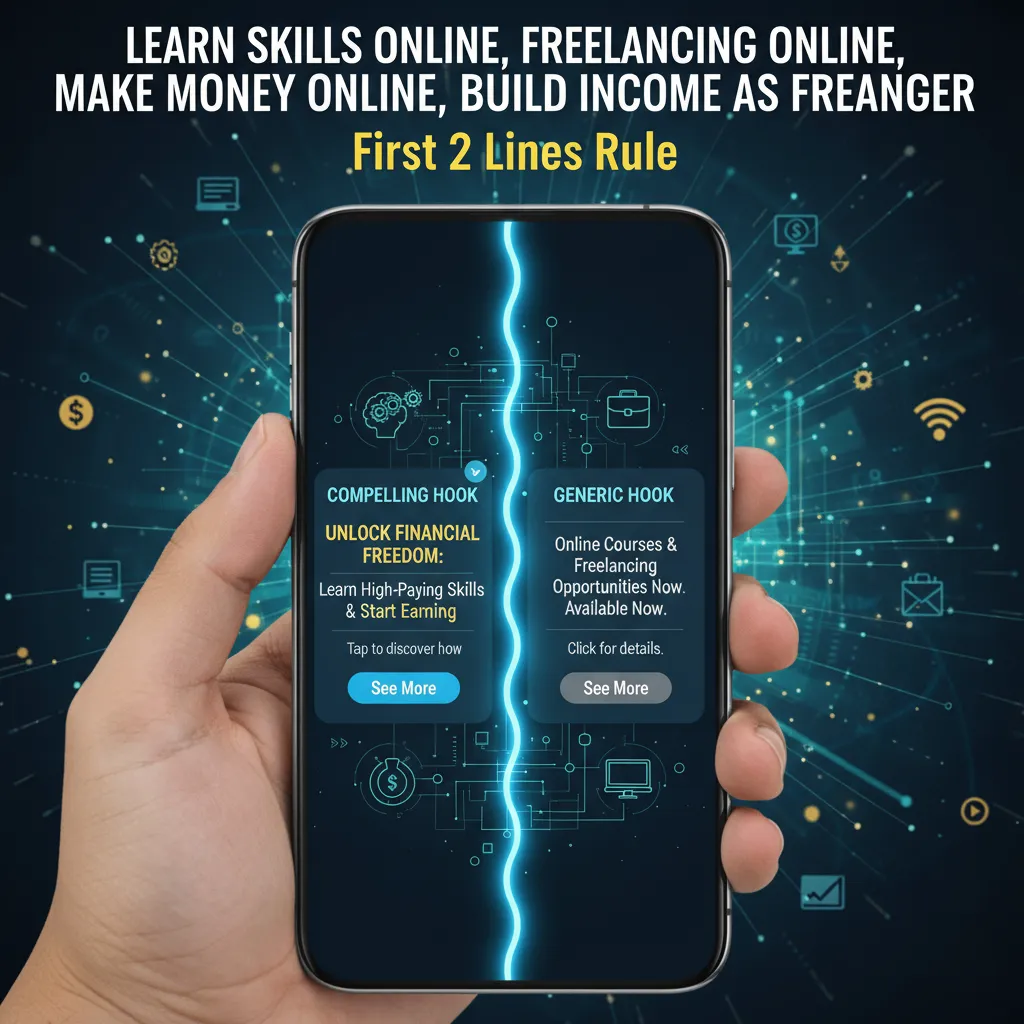
In 2025, clients often use Upwork’s mobile app or browse via email previews. In these formats, they only see the first two lines of your proposal before clicking “See More.”
If your proposal starts with: “Hi, my name is John and I am a hard worker…” you have already lost.
The Winning Structure:
- Line 1 (The Hook): Acknowledge their specific pain point immediately.
- Line 2 (The Solution): State exactly how you will fix it.
Example:
“I see you need a React developer to fix the API latency issue on your checkout page. I have resolved similar timeout errors for three other e-commerce clients this year.”
Understanding Upwork’s Uma AI
Upwork has integrated an AI engine named Uma. According to Upwork’s Q3 2024 Report, clients using Uma-enabled Job Post Generators completed posts 73% faster. But Uma also helps clients scan proposals. It summarizes candidates based on keywords. If you don’t use the keywords found in the job description, Uma might not recommend you.
5. Leveraging AI for Higher Rates
There is a misconception that AI is destroying freelancing. The data suggests the opposite for those who adapt.
“The traditional 9-to-5 model is rapidly losing its grip as skilled talent chooses flexibility… those embracing independent professionals are driving growth.”
— Kelly Monahan, Managing Director, Upwork Research Institute (May 13, 2025)
Clients are willing to pay a premium for freelancers who know how to use AI tools effectively. In fact, Upwork’s Q4 2024 Financial Results revealed that freelancers working on AI-related tasks earned 44% more per hour than those on non-AI projects.
Action Step: Do not hide your use of AI. Add “AI-Assisted” or specific tool names (ChatGPT, Midjourney, GitHub Copilot) to your skills list. Position yourself as an “AI-Enhanced Expert” who works faster and cheaper than the competition while maintaining higher quality.
6. The Portfolio: Using the STARR Method
When you have no reviews, your portfolio is your only proof of competence. Do not just upload screenshots. Use the STARR Method in your case study descriptions to provide context:
- S (Situation): What was the client’s problem?
- T (Task): What were you hired to do?
- A (Action): What specific steps/tools did you use?
- R (Result): What was the measurable outcome? (e.g., “Increased load speed by 20%”)
- R (Reflection): Why was this successful?
Even if the work was for a personal project or a mock client, treat it with professional seriousness in your portfolio.
FAQ: Navigating Your First Month
How many Connects do I get for free in 2025?
Upwork’s free plan is very limited. You typically receive 10 free Connects per month. To realistically land a job, you will likely need to purchase bundles or subscribe to Freelancer Plus ($20/month) which provides 100 Connects monthly.
Is it safe to share my contact info before a contract starts?
No. This is the fastest way to get banned. Upwork’s Terms of Service strictly prohibit sharing email addresses, phone numbers, or Zoom links before a contract is officially started on the platform. All communication must happen via Upwork Messages.
How do I get the Rising Talent badge on Upwork without a job?
Focus on profile completeness (100%), pass the Upwork Readiness Test, and maintain regular activity (logging in and applying). You do not need earnings to earn this badge; you need to demonstrate potential and professionalism.
Why are my Upwork proposals not being read?
It is likely one of three things: 1) Your “First 2 Lines” are weak and generic. 2) You are applying to “abandoned” jobs (check client activity). 3) You aren’t using the right keywords, so the Uma AI isn’t surfacing your proposal.
Conclusion
Getting your first client on Upwork in 2025 is a challenge, but it is a solvable math problem. It requires shifting your mindset from “employee” to “business owner.” You are not asking for a job; you are selling a solution.
Let’s recap the roadmap:
- Optimize: Use the HST formula for your headline and fill all 15 skill tags.
- Verify: Get the Rising Talent badge to prove credibility without reviews.
- Select: Only bid on active clients and calculate your Connects ROI.
- Hook: Write proposals that sell the solution in the first two lines.
- Upgrade: Lean into AI skills to command the 44% earning premium.
The skilled freelance economy contributed $1.5 Trillion to the US economy in 2024 (Upwork Future Workforce Index). There is a slice of that pie waiting for you. It won’t be easy, and it might cost you $50 in Connects to get started, but the long-term compounding value of that first 5-star review is worth every penny.
Now, go create that video introduction.
